Oakline
Oakline app icon

Your checkbook,
on your phone.

Oakline is a register for people who actually keep one. Every transaction, a running balance you can trust, and the bills coming up — kept on your iPhone, and backed up to your own iCloud Drive rather than to anybody else's server.

No account to create Backs up to your iCloud Drive Nothing tracked Export any time
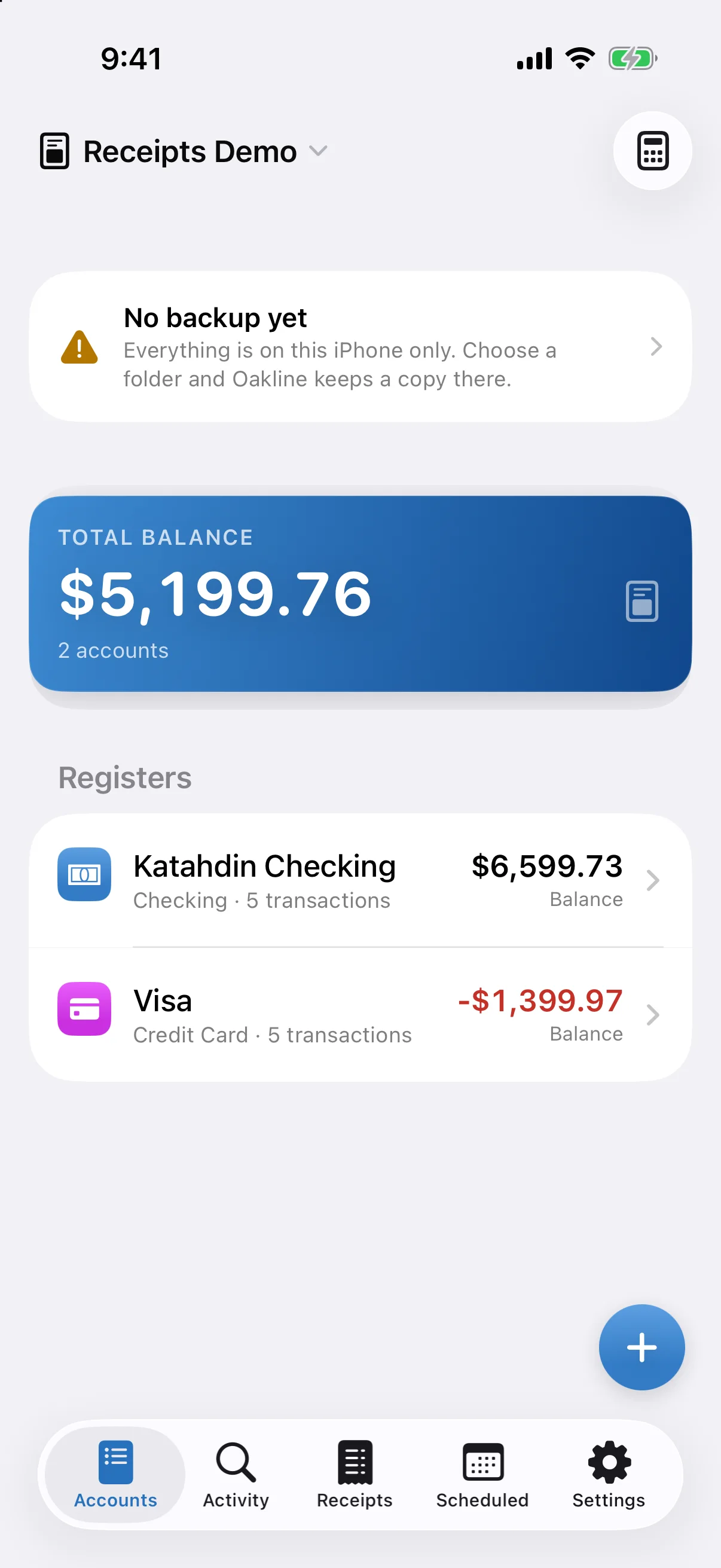
Oakline's Accounts screen showing a total balance and three accounts

A register that adds up

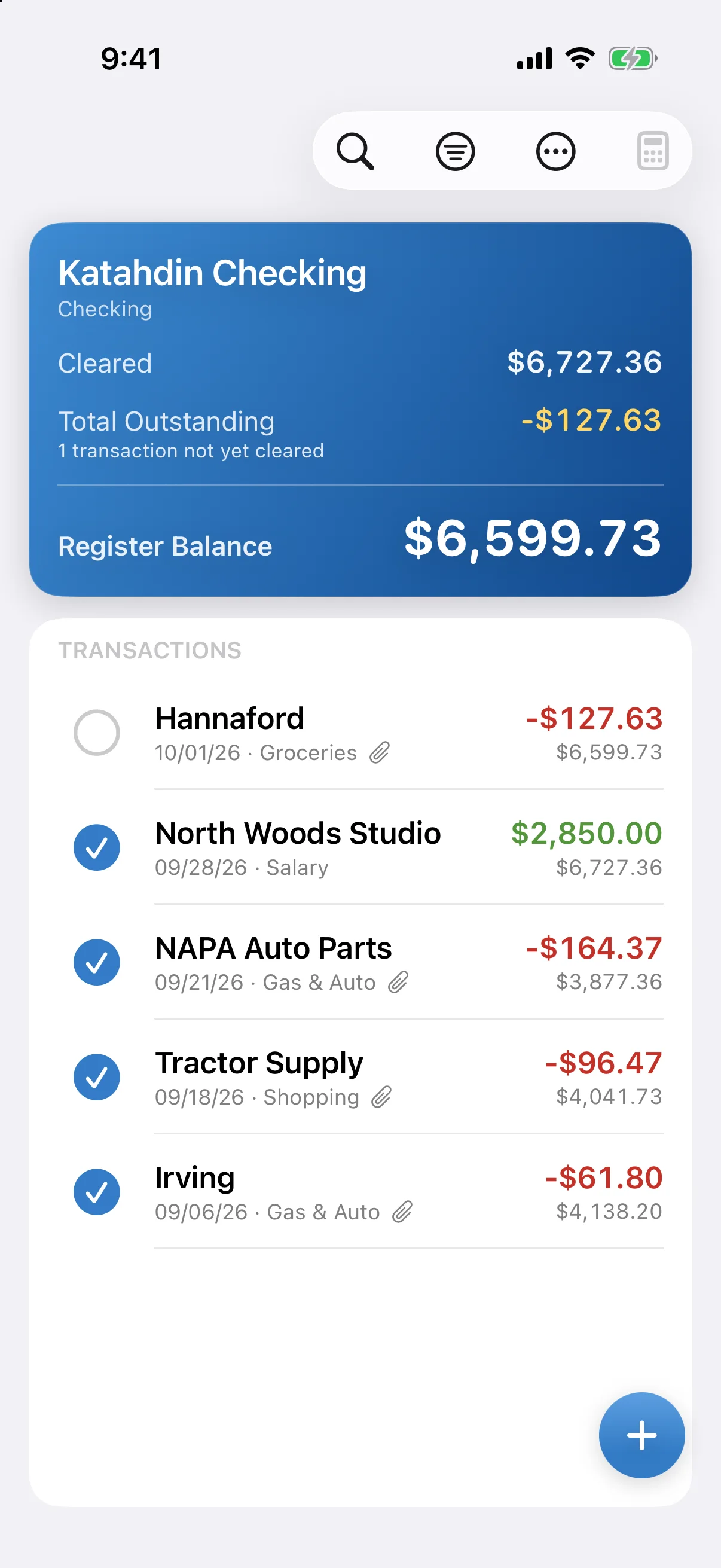
The running balance is recalculated from your transactions every time, so a back-dated entry corrects every figure after it instead of quietly drifting. Amounts are exact to the cent — never a rounded approximation.

  • Cleared, outstanding and register balances that always agree
  • Split a transaction across categories
  • Transfers between your own accounts, linked both ways
  • Cheque numbers, notes and scanned receipts
A register showing transactions with a running balance

See what's coming

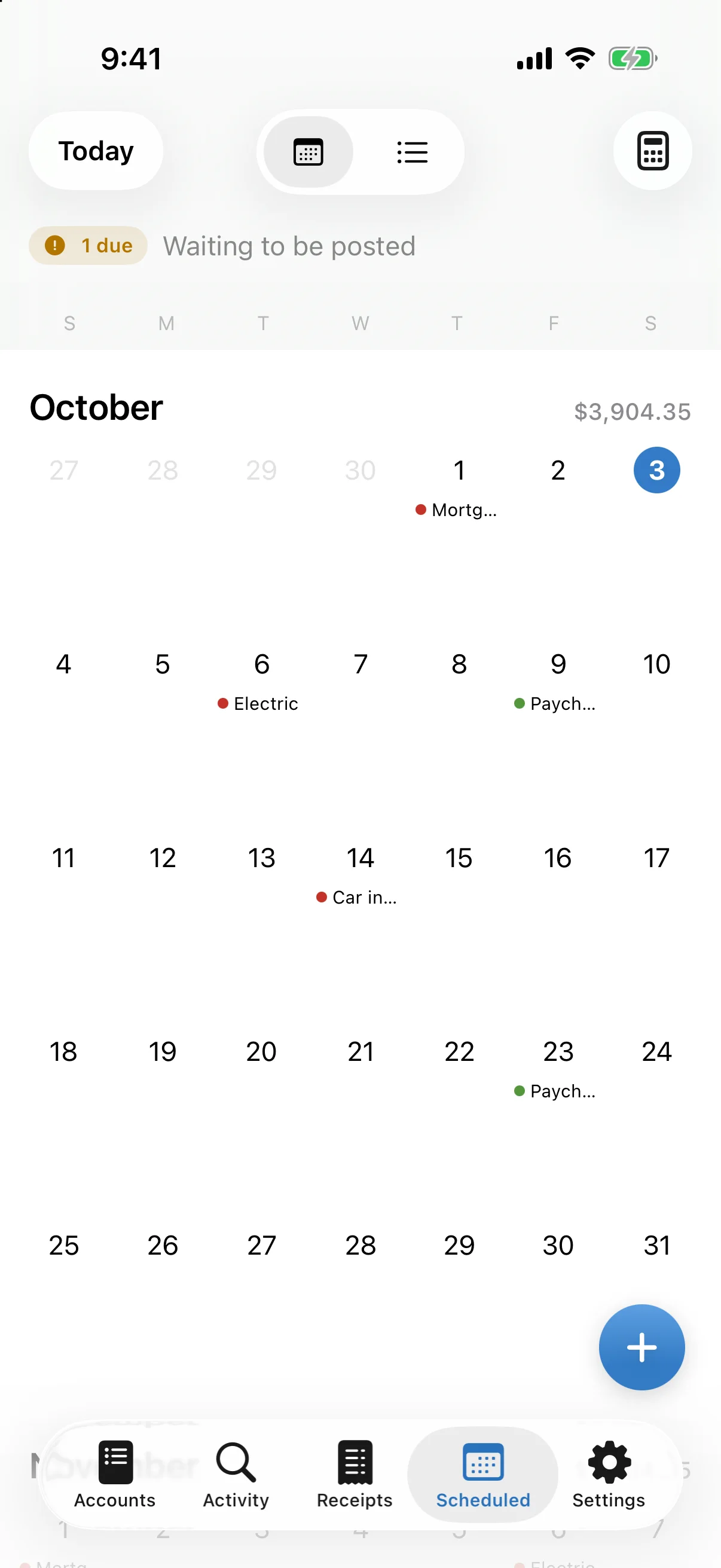
Bills and paycheques you expect, on a calendar you can read at a glance. Mark one paid and it moves into the register; nothing is guessed and nothing posts behind your back unless you ask it to.

  • Weekly, fortnightly, twice-monthly, monthly, quarterly or yearly
  • A morning reminder, and an evening one if a bill is still unpaid
  • Reminders name the bill — never the amount
A month calendar showing scheduled bills and deposits

Find anything, file anything

Search every transaction in a book at once. Oakline learns the shops you use and the categories you file them under, so the next one fills itself in — and if you're arriving from another app, it reads QIF and CSV files.

  • Categories with their own icon and colour
  • Payees remember their usual category
  • Import from QIF, CSV or an Accounts3 export
  • Separate books for separate budgets, kept fully apart
The Activity screen listing transactions across all accounts

More than a list of transactions

The register is the heart of it, but a checkbook is rarely the whole job. Oakline handles the rest of it in the same place.

Budgets that count down

As well as registers, a book can hold budget lines — an amount set for a budget year that draws down as you spend against it. You see what is left, not just what has gone, with a bar that fills as the year does.

Built for school and department budgets, where each one is a separate book kept completely apart — and just as useful for a club, a project or a household envelope.

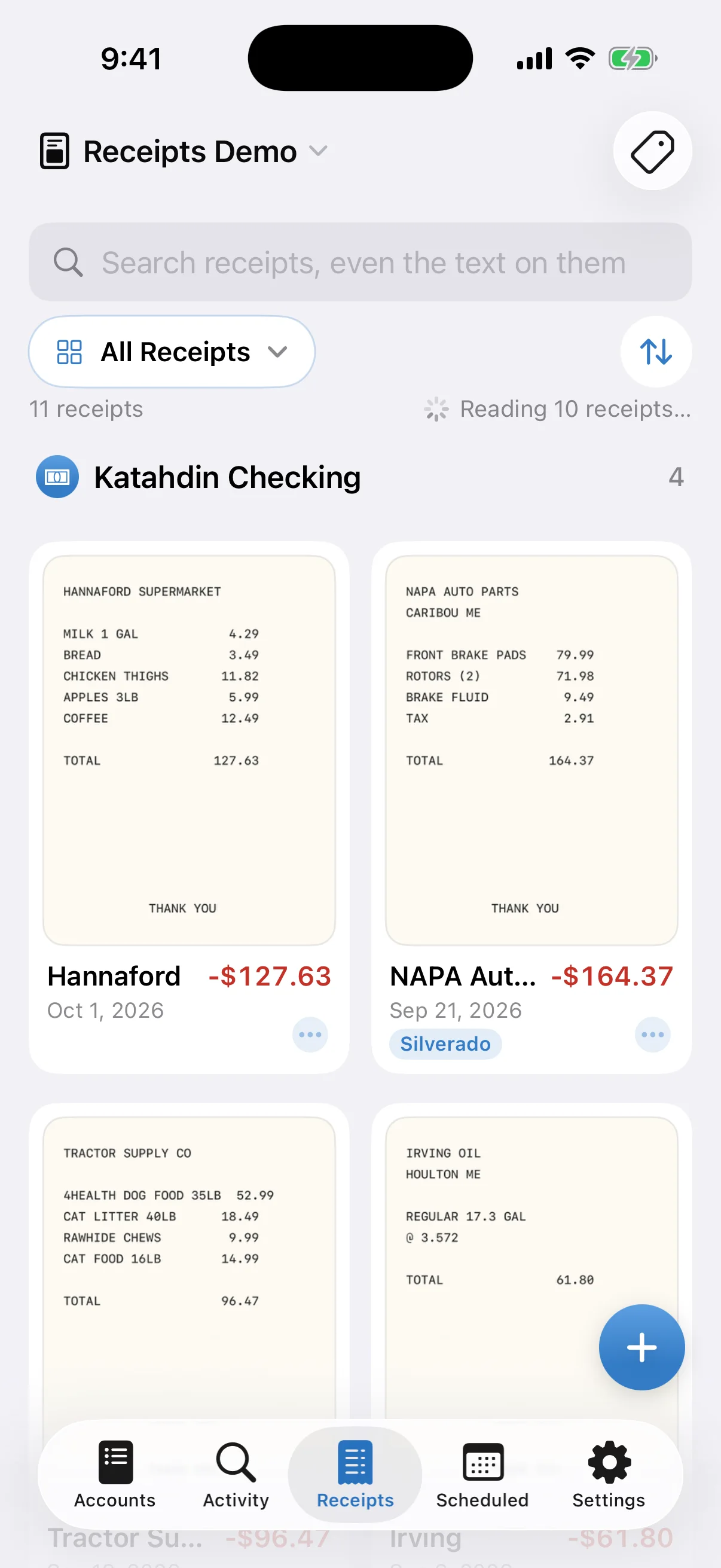
Photograph the receipt

Scan a receipt with the camera and it stays attached to the transaction it belongs to. A year later the proof is still on the line, not in a shoebox — and it is copied along with your backups.

Images are saved on your iPhone. They are never uploaded and never analysed.

Remembers where you shop

Record a purchase at the hardware store and Oakline quietly notes the spot. Next time you are standing there, it offers that payee before you type a letter — and fills in the category you usually file it under.

Learned only from your own history. No map or lookup service is contacted, the location never leaves your phone, and it is never attached to a transaction. Off until you turn it on.

Locked to you

Turn on Face ID or Touch ID and Oakline asks before it opens after you have been away. Your passcode always works as a fallback.

Quick entry

A Home Screen widget for a new expense or deposit, and Siri shortcuts that record one without opening the app at all.

Backed up, not locked in

Oakline keeps dated backups in a folder you choose — one tap sets up your own iCloud Drive — and can rebuild itself from any of them. There is also a plain CSV for spreadsheets, any time you want it.

Your backups live in your account, not ours. Nothing is held hostage.

It stays on your phone

Most finance apps ask you to hand over your bank login. Oakline never asks, because it has nowhere to send it. There is no account to create, no analytics, and no server of ours anywhere in the picture.

That does not mean your data is stranded on one phone. Oakline backs up automatically to a folder you pick — your own iCloud Drive, Dropbox or anywhere else you keep files — so it syncs and restores through an account you already control, not one you have to open with us.

No sign-in Open it and start. There is nothing to register for.
No data collected Nothing is gathered, sold or shared. Nothing is measured.
Backed up to your cloud One tap sets up a folder in your own iCloud Drive. Change phones and your register comes with you.
Your data, exportable Full backup and CSV export, always. Never locked in.